

Snowflake Roles and Responsibilities

The Complete Guide for Modern Cloud Data Teams
Introduction to Snowflake Roles and Responsibilities
As more businesses move their analytics, machine learning, and data operations to the cloud, Snowflake has become one of the most essential data platforms in the world. With its lightning-fast performance, scalable compute, and simple SQL-based architecture, Snowflake gives organisations a powerful and flexible foundation for managing massive amounts of data.
But with great power comes a major responsibility: managing access, controlling governance, assigning roles, and securing sensitive data. This is where understanding Snowflake roles and responsibilities becomes essential. Roles determine who can access what, who can create objects, who can run compute, and who can modify configurations. Without a strong role setup, data platforms become vulnerable to misuse, errors, and even compliance risks.
Modern teams rely on Snowflake to power dashboards, pipelines, predictive models, and operational reporting. That means proper roles and responsibilities are crucial not only for security but also for productivity, cost efficiency, and long-term scalability. In this guide, you’ll understand Snowflake architecture, the meaning of Snowflake roles, how they’re structured, and what responsibilities database administrators and data teams must handle.
Overview of Snowflake Architecture
To fully understand Snowflake roles and responsibilities, you first need a solid grasp of how Snowflake is built. Snowflake uses a multi-cluster, shared-data architecture, which separates compute from storage and both of them from cloud services. This is what makes Snowflake incredibly fast, cost-efficient, and scalable.
Unlike traditional databases, Snowflake does not tie compute and storage together.
You can scale them independently, meaning:
- You can increase compute power without changing storage.
- You can store petabytes of data without increasing compute costs.
- You can run multiple virtual warehouses for different teams without conflict
Snowflake is divided into 3 core layers:
- Storage Layer
Snowflake stores all structured and semi-structured data (CSV, JSON, Parquet, ORC, XML).
Data is automatically encrypted, compressed, and optimised.
- Compute Layer (Virtual Warehouses)
Virtual warehouses perform:
- Query execution
- ETL tasks
- BI report processing
- Machine learning workloads
Each warehouse operates independently.
- Cloud Services Layer
This manages:
- Query optimisation
- Authentication & security
- Metadata
- Result caching
- Access control & role management
This layer is where Snowflake roles and responsibilities become extremely important because permissions are enforced here.
Understanding this architecture helps you assign roles in a way that matches your organisation’s structure.
Key Components of Snowflake Architecture
To effectively assign Snowflake roles and responsibilities, you must understand the major components that users interact with.
- Virtual Warehouses
Compute clusters users run queries on.
Roles control:
- Who can start/stop warehouses
- Scaling policies
- Size changes
- Monitoring consumption
- Databases & Schemas
These are store tables, file formats, sequences, and views.
Roles determine access to:
- Creating schemas
- Creating tables
- Dropping objects
- Reading or modifying data
- Cloud Services Layer
Responsible for:
- Metadata management
- Role-based access
- Security policies
- Authentication
- Storage Layer
Snowflake handles compression, columnar storage, and encryption automatically.
Admins must ensure:
- Correct retention periods
- Fail-safe and time-travel setups
- Query Processing Layer
Snowflake optimises queries through:
- Pruning
- Caching
- Micro-partitioning
This improves performance while reducing compute costs.
Understanding these components helps you better distribute Snowflake roles without giving unnecessary access or creating a security risk.
Understanding Roles in Snowflake
Roles in Snowflake define what a user is allowed to do. Snowflake uses a strong RBAC (Role-Based Access Control) model that allows granular control over every object and action.
Why Snowflake Uses RBAC
- Prevent unauthorised access
- Enforce regulatory compliance
- Maintain a least-privilege environment
- Separate duties between teams
- Improve organisational structure
Types of Roles
- System-Defined Roles
These come pre-built in Snowflake.
- Custom Roles
Created by admins based on business needs.
Key Principles
- Roles are assigned to users.
- Privileges are assigned to roles, not users.
- Roles can inherit permissions from other roles.
This ensures a clean hierarchy that scales as your team grows.
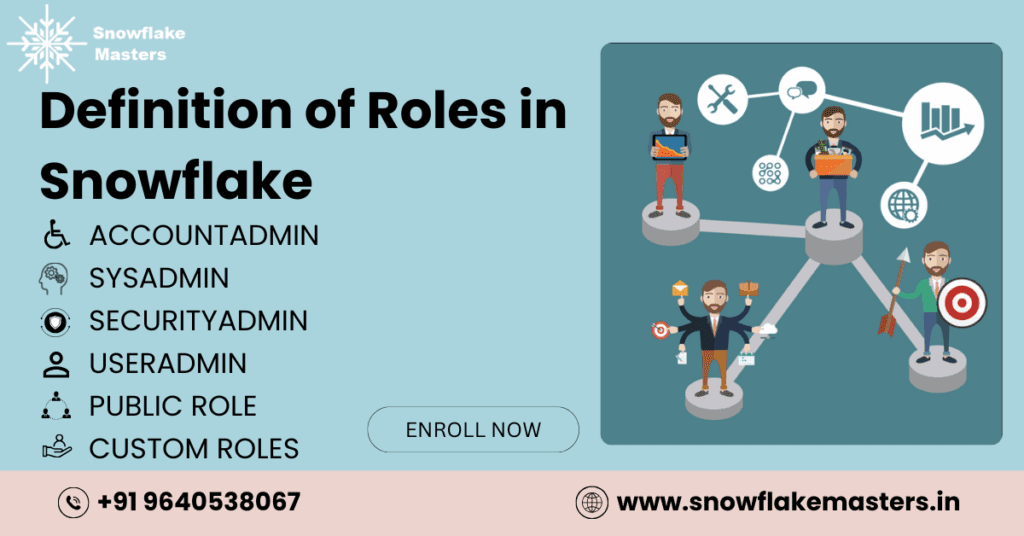
Definition of Roles in Snowflake
Snowflake includes several powerful system-defined roles. Understanding these is essential for defining Snowflake roles and responsibilities properly.
- ACCOUNTADMI
The most powerful role.
Has full access to everything in the account.
Responsibilities include:
- Global governance
- Storage & compute management
- User administration
- Security configuration
- Cost monitoring
- SYSADMIN
Controls the creation and modification of most objects.
Commonly used by:
- Data Engineers
- Database Administrators
Responsibilities:
- Create databases & schemas
- Create virtual warehouses
- Manage pipelines
- Grant privileges to lower-level roles
- SECURITYADMIN
Handles all security-related tasks.
Responsibilities:
- Manage users
- Manage roles
- Set MFA policies
- Grant/revoke access
- USERADMIN
Dedicated to managing user accounts.
Responsibilities:
- Create users
- Set passwords
- Set default roles
- Assign users to roles
- PUBLIC ROLE
Automatically granted to every user.
Has the lowest level of access.
- CUSTOM ROLES
Created by enterprises for:
- Analysts
- Developers
- Finance teams
- Marketing analytics
- Data scientists
Custom roles allow you to design a least-privilege architecture tailored to your team.
Hierarchy of Snowflake Roles
To implement Snowflake roles and responsibilities correctly, you need a well-structured role hierarchy. Snowflake uses a tree-like structure where roles inherit privileges from the roles beneath them. This ensures clean governance without manually assigning permissions to every user.
How Role Inheritance Works
If role B inherits from role C, and role A inherits from role B, then:
- A automatically receives permissions from B and C
- B receives permissions from C
- C only receives permissions assigned directly to it.
This creates a scalable permission system.
Typical Enterprise Role Hierarchy
ACCOUNTADMIN
└── SECURITYADMIN
└── USERADMIN
└── SYSADMIN
└── DATA_ENGINEER
└── BI_DEVELOPE
└── ANALYST
Best Practices for Role Hierarchy
- Avoid circular inheritance
- Keep the least-privilege principle
- Create custom roles for each team
- Do not use ACCOUNTADMIN for daily work.
- Assign roles to users—never privileges
A clean hierarchy defines how snowflake roles and responsibilities flow throughout the organisation.
Snowflake Roles and Responsibilities for Data Teams
Different teams inside an organisation require different levels of Snowflake access. Assigning roles correctly ensures security, performance, compliance, and efficient workflows. Below are the most common teams and their responsibilities:
- Database Administrators (DBAs)
This is one of the most important groups responsible for managing the integrity, structure, and performance of Snowflake.
Responsibilities include:
- Managing virtual warehouses
- Ensuring correct resource allocation
- Monitoring query performance
- Managing fail-safe and time-travel
- Creating/maintaining databases & schemas
- Ensuring permissions follow least-privilege rules
- Handling backup policies and retention periods
- Data Engineers
Data engineers build pipelines and manage the flow of data into Snowflake.
Responsibilities include:
- Creating and managing ETL/ELT pipelines
- Building Streams and Tasks
- Managing ingestion frameworks (Snowpipe, Fivetran, Kafka)
- Maintaining materialised views
- Optimising data loads
- Data Analysts & BI Teams
These teams consume data and generate insights.
Responsibilities include:
- Writing analytical SQL
- Consuming governed datasets
- Creating dashboards (Power BI, Tableau, Looker)
- Running complex data models
- Security & Governance Teams
Responsibilities include:
- Ensuring compliance (GDPR, HIPAA, SOX)
- Reviewing access control
- Creating masking & row access policies
- Managing MFA & SSO settings
- Application & Backend Teams
Responsibilities:
- Connecting Snowflake to applications
- Managing service accounts
- Optimising app-driven queries
Giving the right responsibilities to each team prevents chaos and supports scalable data operations.
Key Responsibilities of Database Administrators in Snowflake
DBAs carry some of the most critical Snowflake roles and responsibilities. In Snowflake, DBAs focus less on traditional server management and more on resource optimisation, security, governance, and access control.
Below are the core DBA tasks explained in detail:
- Warehouse & Resource Management
DBAs are responsible for creating, monitoring, and optimising warehouses.
Their tasks include:
- Creating virtual warehouses
- Auto-suspend & auto-resume configuration
- Setting warehouse size based on workload
- Monitoring credit consumption
- Preventing runaway queries
- Applying resource monitors
Effective warehouse management reduces Snowflake costs dramatically.
- Query Performance Optimisation
Although Snowflake is optimised, DBAs still need to:
- Identify slow-running queries
- Analyse execution plans
- Encourage clustering for large tables
- Optimise micro-partitions
- Suggest indexing approaches (automatic clustering)
A good DBA ensures dashboards load fast and pipelines run efficiently.
- User & Role Management
DBAs grant access only on a need-to-use basis.
Responsibilities:
- Assign roles to users
- Manage role hierarchy
- Grant/revoke permissions
- Perform quarterly access audits
Proper access management protects data integrity.
- Data Governance & Compliance
DBAs help enforce governance rules:
- Define data retention periods
- Maintain masking policies
- Manage secure views
- Document data ownership
- Maintain GDPR/HIPAA compliance
Governance is critical when handling financial, healthcare, or personal data.
- Backup, Fail-Safe & Recovery Processes
Snowflake automatically handles many features, but DBAs must configure and monitor:
- Time travel windows
- Fail-safe periods
- Cloning strategies
- Recovery procedures
- Disaster recovery plans (DRP)
Data safety is a top priority in Snowflake roles and responsibilities.
- Monitoring & Auditing
DBAs regularly review:
- Warehouse usage
- Login history
- Failed login attempts
- Role usage
- Suspicious activity
This protects the data platform from internal and external misuse.
- Storage Cost Management
DBAs help optimise:
- Table retention
- Clustering keys
- Partition design
- Data pruning strategies
- Archival policies
Snowflake charges separately for compute and storage, so careful monitoring helps reduce costs.
Security Responsibilities in Snowflake
Security is a major part of Snowflake roles and responsibilities, especially in large enterprises.
Key Security Tasks
- Managing RBAC
- Setting MFA & SSO
- Managing encryption policies
- Building secure data-sharing models
- Configuring network policies
Security Tools in Snowflake
- Row Access Policies
- Dynamic Data Masking
- Secure Views
- Network Policies
- Fail-Safe Controls
Security admins ensure no sensitive data leaks, intentionally or accidentally.
Data Engineering Responsibilities in Snowflake
Data engineers bridge data ingestion and consumption.
Key Responsibilities:
- Automating data ingestion (Snow pipe, APIs)
- Building Streams for CDC (change data capture)
- Creating tasks for scheduled processing
- Designing ELT frameworks
- Managing performance for large tables
- Partitioning and clustering
- Designing data models
These responsibilities enable high-performing data analytics ecosystems.

Snowflake Best Practices for Enterprises
To manage Snowflake at enterprise scale:
- Use Least Privilege Access
Never give more access than required.
- Create Team-Based Custom Roles
One role per function/team.
- Never Use ACCOUNTADMIN for Daily Work
Only for emergencies or major changes.
- Enable MFA for All Users
Essential for security.
- Auto-Suspend Warehouses
Prevents unnecessary credit usage.
- Document Roles Thoroughly
So future teams know how roles were assigned.
These practices ensure a secure and efficient Snowflake implementation.
Common Mistakes Teams Make With Snowflake Roles
Mistakes often happen when teams scale quickly.
- Over-Granting Permissions
Too many users get SYSADMIN or ACCOUNTADMIN.
- Using the PUBLIC Role to Store Data
A huge security risk.
- No Role Documentation
Teams forget why roles were created.
- Lack of Governance Policies
Data becomes a mess.
- Not Monitoring Warehouse Costs
Leads to huge bills.
Avoiding these mistakes ensures safe and efficient Snowflake operations.
Real-World Use Cases of Snowflake Role Management
- Finance
Masking policies for salary data.
- Healthcare
Privacy controls for patient data.
- E-commerce
Role-based permissions for marketing, analytics, and engineering.
- SaaS Companies
Multi-tenant secure data sharing.
Each industry leverages Snowflake roles in a unique way.
How to Create & Manage Roles in Snowflake
Below are common SQL commands used to manage roles.
Create a Role
CREATE ROLE analyst role;
Grant Privileges
GRANT SELECT ON DATABASE sales TO ROLE analyst role;
Assign Role to User
GRANT ROLE analyst role TO USER john doe;
Create Role Hierarchy
GRANT ROLE analyst role TO ROLE sysadmin;
These commands form the foundation of enterprise-level RBAC.
Conclusion
Snowflake has changed the way modern organisations handle data. Its cloud-native architecture, scalable compute, and secure data-sharing capabilities make it one of the most powerful data platforms available. But Snowflake becomes truly effective only when roles and responsibilities are clearly defined and properly implemented.
A strong understanding of Snowflake roles, from ACCOUNTADMIN to custom, team-specific roles, ensures that users have the right level of access without opening security gaps. Database administrators play a central role in monitoring warehouses, optimising queries, managing security policies, enforcing governance rules, and ensuring high availability. Meanwhile, data engineers, analysts, governance teams, and developers all depend on roles to work efficiently and securely.
By applying least privilege principles, documenting access structures, and using Snowflake best practices, organisations can scale confidently while controlling costs and maintaining compliance. Snowflake roles are more than permission sets—they’re the backbone of a secure, efficient, and well-organised data ecosystem. Master them well, and your entire data platform becomes smarter, faster, and more reliable.
FAQ’s
What are Snowflake roles?
Roles define what actions a user can perform in Snowflake using RBAC.
What is ACCOUNTADMIN used for?
It provides full account-level control for governance and configuration.
What is SYSADMIN responsible for?
Managing warehouses, databases, schemas, and development objects.
Who manages user creation in Snowflake?
The USERADMIN or SECURITYADMIN role.
Why is role hierarchy important?
It ensures scalable, manageable, and secure access control.
What is least privilege in Snowflake?
Giving users only the access they need, nothing more.
Can you create custom roles in Snowflake?
Yes, custom roles are recommended for teams and projects.
How do Snowflake DBAs manage performance?
Through warehouse optimisation, resource monitors, and query tuning.
What is the PUBLIC role?
A default role assigned to all users with minimal access.
How does Snowflake ensure security?
With RBAC, MFA, encryption, masking policies, and access controls.
What is a secure view in Snowflake?
A view that hides underlying table definitions and protects sensitive data.
What is the difference between a warehouse and a database?
Warehouses provide compute power; databases store the data.
Who controls masking policies?
Security teams using SECURITYADMIN.
Can roles inherit permissions?
Yes, Snowflake supports full role inheritance.
Are DBAs still needed in Snowflake?
Absolutely — they manage governance, performance, security, and architecture.